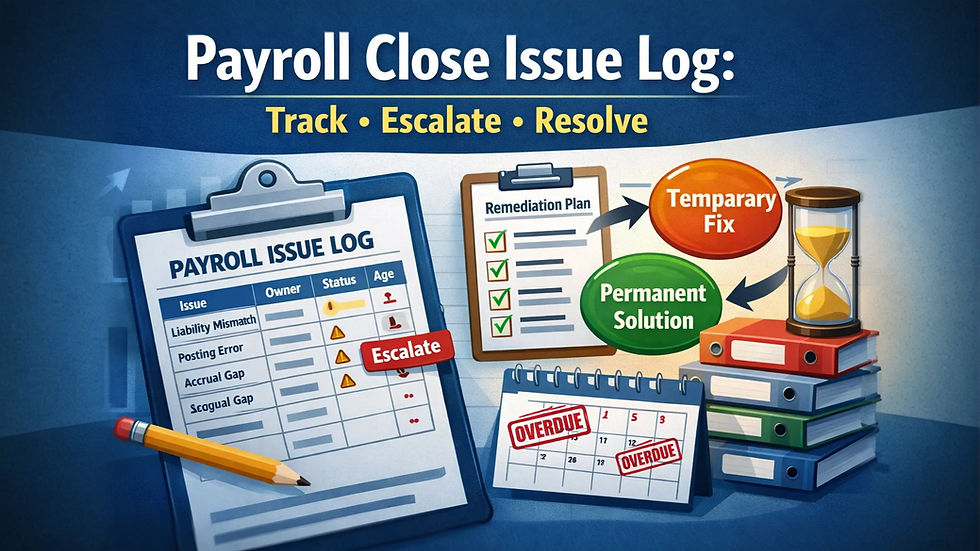
Payroll Suspense Account Governance: How to Prevent Payroll Posting Errors from Living Forever in Cleanup Accounts

Updated: Oct 11
A practical failure-analysis guide for aging, assigning, clearing, and preventing payroll suspense items before they become permanent close noise, audit support gaps, or recurring payroll-to-accounting errors.


For teams evaluating a payroll provider change, this advisor-led matching option may help.
A payroll suspense account can be useful.
It can also become a graveyard.
When payroll costs, liabilities, deductions, taxes, employer expenses, or cash movements do not post cleanly, finance may route the difference to a suspense, clearing, default, or temporary account.
That may be reasonable for a short period. It gives the company a place to hold an item while the correct account, employee, department, entity, cost center, project, or liability treatment is identified.
The problem starts when “temporary” becomes normal.
A payroll suspense account should answer one question:
What still needs to be researched, assigned, corrected, or cleared before payroll is fully reconciled?
It should not become a place where payroll posting errors live indefinitely.
Payroll suspense items are dangerous because they can look small, technical, and temporary. A payroll import fails on a cost center. A new earning code has no general ledger mapping.
A benefit deduction posts to the wrong liability account. A terminated employee has a final pay adjustment that does not map correctly.
A payroll provider journal includes a line finance cannot classify before close. A department code is inactive. A manual check hits a default account. A multi-entity payroll item posts without a valid entity segment.
Each item may be explainable.
But when those items accumulate, the suspense account becomes a control failure.
The payroll may be paid correctly. Employees may receive the right net pay.
Payroll taxes may be filed. But finance cannot fully prove where payroll cost or liability belongs. Close becomes dependent on manual investigation. Controllers inherit old balances. Accountants spend time reclassing stale items.
Auditors ask why payroll differences remain open. Payroll and finance disagree about whether the item is a payroll correction, GL reclass, mapping fix, timing issue, or unsupported cleanup entry.
This guide is written for payroll teams, controllers, finance leads, accountants, HR/payroll administrators, and operators who need a simple governance model for payroll suspense accounts.
It focuses on how to prevent suspense items from aging into permanent clutter.
Table of contents
The pre-mortem: how payroll suspense accounts become permanent
Imagine it is three months from now.
The payroll suspense account still has a balance.
Some items are new. Some are old. Some are small enough that no one is alarmed. A few are material enough that the controller asks for an explanation during close. The payroll team says the items are accounting issues.
Finance says payroll or the provider caused the source problem. Managers say they approved the underlying changes. The system owner says the integration worked as designed.
No one owns the full cleanup.
By the next month, the account still has open items.
The close checklist says “review suspense.” The review happens, but the account does not clear. Items are rolled forward with vague comments:
Pending research
Payroll variance
Mapping issue
To clear next month
Provider issue
HR coding issue
Immaterial
Waiting on payroll
Need reclass
Those comments feel like progress, but they do not answer the control question.
Who owns this item, what caused it, what is the clearing action, and how will the source issue be prevented?
That is how payroll suspense accounts become permanent.
Not because anyone intends to hide errors.
Because the company lacks an escalation model.
The most common failure pattern
Payroll suspense usually follows a predictable path.
First, an item cannot post cleanly.
The cause may be an invalid department, missing cost center, inactive project, new earning code, unmatched deduction, GL mapping gap, payroll import error, or unclear liability treatment.
Second, finance uses a temporary account to keep close moving.
That may be reasonable. Close cannot stop every time payroll produces a small exception.
Third, the item is not assigned with enough precision.
The owner may be payroll, finance, HR, systems, benefits, tax, accounting, or the payroll provider. But the account balance only shows that something is wrong. It does not automatically identify who can fix it.
Fourth, the same issue repeats.
A missing mapping creates a suspense item this month. The team clears the item manually. The mapping is not fixed. The item appears again next month.
Fifth, suspense becomes a normal part of close.
That is the point where the control has failed.
A suspense account should be a temporary diagnostic tool. It should not be a recurring operating model.
The core decision: clear the item, fix the source, or escalate the owner
The core decision is:
Should this payroll suspense item be cleared through a finance reclass, corrected through payroll, fixed through system mapping, or escalated because ownership, evidence, or source cause is unresolved?
That decision matters because different suspense items require different actions.
A payroll suspense item may be:
A valid payroll cost with missing GL coding
A payroll journal mapping issue
A payroll liability account mismatch
A benefit deduction posting issue
A timing difference
A payroll provider file issue
An HRIS or payroll integration issue
A department, entity, project, or cost center setup problem
A manual payroll adjustment with weak support
A tax or benefit item that needs specialist review
A true payroll error requiring correction
An accounting-only reclassification
An unsupported balance that needs escalation before write-off
If every item is called “payroll suspense,” the team loses the ability to route it.
A good governance process classifies each item by cause and action.
The decision drivers
Payroll suspense governance should be designed around six drivers.
Aging.
How long has the item been open? A current-period suspense item may be normal. A 90-day item is no longer just a timing issue. The VA financial policy chapter emphasizes monthly evaluation and timely clearing of clearing or suspense balances, which supports aging-based escalation rather than indefinite rollover.
Ownership.
Who can actually resolve the item? Payroll can correct payroll records. Finance can post reclasses. HR can fix employee coding. Systems can fix integrations. Benefits can validate deductions. Tax can review payroll tax treatment. A provider may need to correct output files.
Root cause.
Did the item happen because of missing mapping, bad source data, late
change, invalid account, unsupported manual entry, integration failure, or unclear policy? Root cause determines whether the fix is one-time or structural.
Clearing path.
What action will remove the item from suspense? Options include reclass, payroll correction, mapping update, provider case, journal reversal, benefit liability adjustment, tax review, employee-level correction, or approved write-off.
Evidence.
Can the team support the clearing action? Suspense items should not be cleared just to make the account zero. The clearing entry should be tied to payroll reports, journal entries, employee records, GL mapping, provider files, approvals, or reconciliation support.
Recurrence.
Has this item or source issue appeared before? A one-time coding error may need cleanup. A repeated suspense item needs process remediation.
These drivers shift suspense management from “find a place to put the difference” to “classify, clear, and prevent.”
A practical conclusion before the escalation table
The strongest payroll suspense policy is:
Every payroll suspense item must have an owner, age, root cause, clearing path, evidence standard, and escalation date.
That policy is simple, but it changes the close process.
It prevents the most common weak pattern: leaving items in suspense because they are small, old, confusing, or owned by multiple teams.
A suspense item should never be carried forward with only a vague note.
It should be classified.
For example:
Finance reclass: employee paid correctly, payroll record correct, GL account wrong
Payroll correction: employee pay, deduction, tax, or payroll record needs correction
Mapping fix: payroll output is recurring to an invalid or default account
Source-data fix: HRIS, time, benefits, or employee coding caused the posting failure
Provider case: provider file, journal, or report does not match expected configuration
Timing difference: expected to clear through a defined future event
Escalation item: ownership, evidence, or treatment is unresolved
Write-off candidate: immaterial, aged, researched, approved, and not recurring
The goal is not to eliminate every suspense item overnight.
The goal is to prevent suspense from becoming a permanent account category.
A healthy payroll suspense account should behave like a short-term work queue.
Items enter. They are classified. They are assigned. They age visibly. They clear with support. If they repeat, the source process is fixed.
An unhealthy payroll suspense account behaves like a storage unit.
Items enter. They stay. Notes accumulate. Balances roll forward. Reclasses happen without root-cause correction. Eventually, no one trusts the account balance.
The rest of this guide provides the escalation table and operating model to prevent that failure.
For teams evaluating a payroll provider change, this advisor-led matching option may help.
What payroll suspense governance must control
Payroll suspense governance should control the path from unidentified or misposted payroll activity to final resolution.
It should not focus only on account balance cleanup.
The real control question is:
Can the company explain every open payroll suspense item, assign it to the right owner, clear it with evidence, and prevent repeat items from reappearing?
Item-level visibility
Suspense should be reviewed at the item level.
The balance alone is not enough.
A $12,000 suspense balance could be one large issue, twenty small mapping errors, a benefit deduction mismatch, a payroll tax timing issue, or several old items that should have been cleared months ago.
Each item should show:
Payroll date
Journal date
Employee, group, department, entity, or payroll batch if known
Amount
Debit or credit
Source file or journal
Suspected cause
Owner
Age
Clearing plan
Evidence required
Current status
Oracle’s clearing account reconciliation guidance describes unreconciled journal lines as the detail behind a clearing account balance. That same principle applies to payroll suspense governance: the team should manage the lines, not only the total.
Aging discipline
Suspense items should age visibly.
Suggested aging bands:
0 to 30 days: identify and assign
31 to 60 days: clear or escalate
61 to 90 days: controller review required
Over 90 days: executive, owner, or formal write-off review
The bands can vary by company size and close maturity.
The principle should not vary.
Aging should change the level of attention.
An item that is acceptable during the current close may be unacceptable after two closes.
Ownership clarity
Payroll suspense items often sit between functions.
That is why they age.
The governance model should assign ownership based on what needs to be fixed.
Examples:
Payroll owns incorrect payroll record or employee-level correction.
Finance owns GL reclass, accrual, or close entry.
HR owns employee department, cost center, manager, or entity coding.
Benefits owns benefit deduction or carrier-related liability support.
Tax owns payroll tax account or filing-related suspense.
Systems owns integration, import, mapping, or automation failure.
Provider owner manages payroll vendor cases.
Controller owns final escalation and write-off approval.
Ownership should not be assigned to “payroll” by default just because the item came from payroll.
Clearing evidence
A suspense item is not resolved because a journal entry was posted.
It is resolved when the clearing action is supported.
Clearing evidence may include:
Payroll register
GL detail
Time record
Employee master data
Pay code mapping
Benefit deduction report
Payroll tax report
Provider file
Reclass approval
Close reconciliation
If the evidence cannot be found, the item may still need to clear eventually. But the clearance should be approved as an unsupported or low-support item, not presented as a fully reconciled correction.
Recurrence prevention
The final control is recurrence prevention.
If a suspense item repeats, clearing the balance is not enough.
The team should ask:
Did the same pay code create suspense again?
Did the same department or entity fail again?
Did the same import file omit a required field?
Did the same provider report require manual adjustment?
Did the same benefit liability mismatch recur?
Did the same off-cycle payroll bypass normal mapping?
Did the same HR field overwrite the finance coding?
Repeated suspense items should move from cleanup to remediation.
That is the difference between reconciliation and governance.
Suspense-item escalation table
The table below is the primary artifact for this guide.
It is designed to turn the payroll suspense account from a vague cleanup balance into a managed work queue.
Use it during close, payroll reconciliation, payroll-to-GL review, and monthly controller review.
The table is intentionally practical. It does not assume every company has a mature accounting operations team.
It gives finance and payroll a shared structure for identifying what the item is, who owns it, when it must escalate, and what evidence is needed to clear it.
Suspense-item escalation table
Suspense item type | Primary owner | Escalation threshold | Clearing evidence |
Missing or invalid GL account | Finance or systems owner | Repeats after one payroll or remains open past 30 days | Correct account, reclass entry, GL mapping update, approval |
Missing department, cost center, entity, or project | HR, finance, or systems owner | Employee coding affects payroll posting or item repeats | Employee record, corrected coding, effective date, reclass support |
New earning code without mapping | Payroll and finance | Any new code posts to suspense or default account | Pay code setup, GL mapping approval, payroll journal validation |
New deduction code without liability mapping | Payroll, benefits, or finance | Deduction cannot be tied to liability owner within current close | Deduction report, liability account, benefit or vendor support |
Benefit deduction mismatch | Benefits or finance | Difference remains after carrier invoice or liability tie-out | Benefit report, payroll deduction report, reconciliation, adjustment |
Payroll tax owner or finance | Difference affects filing, payment, or liability balance | Payroll tax report, tax payment support, liability reconciliation | |
Off-cycle payroll posting issue | Payroll and finance | Off-cycle posts outside expected mapping or funding path | Off-cycle register, approval, journal entry, cash tie-out |
Manual check or forced payroll adjustment | Payroll | Item lacks approval or payroll report support | Manual check record, approval, payroll register, correction note |
Systems owner | Same import field fails more than once or blocks close | Error report, file version, corrected import, mapping or integration fix | |
Provider owner and finance | Provider output does not match expected payroll register or mapping | Provider ticket, payroll reports, corrected file, reconciliation | |
Timing difference | Finance | Expected clearing event does not occur by next close | Timing explanation, future clearing date, clearing confirmation |
Unidentified payroll suspense item | Controller | Cannot identify owner or cause within 30 days | Research notes, assigned owner, resolution path, approval |
Aged item over 60 days | Controller | Any item remains unresolved after two closes | Aging report, escalation note, owner response, clearing plan |
Write-off candidate | Controller or finance leader | Item is aged, researched, immaterial, nonrecurring, and not practically correctable | Research file, materiality review, approval, write-off entry |
For teams evaluating a payroll provider change, this advisor-led matching option may help.
How to use the escalation table
The escalation table should be used as part of monthly payroll close.
It should not be used only when the suspense balance becomes large.
A small balance can still indicate a recurring system problem. A zero balance can still hide a weak process if finance is clearing items without evidence. The purpose of the table is to make each suspense item visible, assigned, aged, and cleared through the right path.
Start with the line item, not the account balance
Begin with the suspense account detail.
For each line, identify:
Source payroll run
Journal entry or import batch
Employee or group if available
Amount
Debit or credit
Posting date
Related earning, deduction, tax, or employer cost
Department, cost center, entity, or project field if available
Suspected cause
Current age
Do not start by asking whether the account balance is “small enough.”
Start by asking what each item is.
A small balance with repeated causes may be more important than a larger one-time timing difference.
Classify the item before clearing it
The first classification should be simple.
Ask:
Is this a payroll correction, finance reclass, mapping fix, source-data fix, provider issue, timing difference, or escalation item?
The classification determines the action.
A finance reclass should not be used when the employee record is wrong. A payroll correction should not be used when the employee was paid correctly and only the GL account is wrong.
A write-off should not be used when the same mapping issue will create another item next payroll.
The classification should be recorded in the suspense log.
Suggested categories:
Payroll correction
Finance reclass
GL mapping fix
Employee coding fix
Benefit liability fix
Payroll tax review
Integration fix
Provider case
Timing difference
Unsupported item
Write-off candidate
This keeps the suspense account from becoming one undifferentiated cleanup bucket.
Assign the owner who can fix the source
Ownership should follow the source cause.
If an invalid cost center came from the HRIS, HR or systems may own the source correction. If the payroll journal used a missing account, finance may own mapping. If a deduction has no liability account, benefits and finance may share review. If a provider file is wrong, the provider owner should open and track the case.
The owner is not always the person who posts the clearing entry.
That distinction matters.
Finance may post the journal entry that clears suspense, but payroll or HR may still need to fix the source field. If finance clears the item and no one fixes the source, the same problem may return.
Use aging to force action
Aging should change behavior.
A current-month item can be researched during normal close. A 45-day item should have a documented plan. A 75-day item should be visible to the controller. A 120-day item should not sit in suspense without formal approval, write-off review, or documented reason.
A simple aging rule works:
0 to 30 days: identify, classify, assign
31 to 60 days: clear or escalate to owner
61 to 90 days: controller review required
Over 90 days: formal disposition required
Formal disposition may include correction, reclass, mapping fix, provider resolution, write-off approval, or documented exception.
The point is not to punish teams for complex items.
The point is to prevent silence.
Clear with evidence, not just a journal entry
A clearing journal may remove the balance.
It does not prove the item was resolved correctly.
Before clearing, the reviewer should know:
What caused the suspense item
Whether the employee was paid correctly
Whether payroll records need correction
Whether accounting records need reclassification
Whether mapping needs update
Whether a future payroll will repeat the issue
Which evidence supports the clearing action
For example, if a bonus earning code posted to suspense because the GL mapping was missing, the clearing file should include the payroll register, pay code, correct expense account, reclass entry, mapping update, and validation in the next payroll.
That is a controlled resolution.
A journal entry with “to clear payroll suspense” is not enough.
Track recurrence separately from clearing
A suspense item can be cleared and still be a failure.
If the source issue repeats, the control did not work.
The suspense log should include a recurrence flag.
Use it when:
Same pay code posts to suspense more than once
Same department, entity, or project fails again
Same provider file issue repeats
Same off-cycle posting issue occurs
Same benefit deduction mismatch returns
Same integration field fails
Same manual payroll adjustment requires cleanup
Recurring items should be reviewed outside the normal close checklist.
They need remediation.
Pre-mortem: where payroll suspense governance breaks
A failure-analysis guide should ask what will go wrong before it happens.
If payroll suspense governance fails, it usually fails in predictable places.
The patterns below can be used as a pre-mortem before implementing a suspense review process.
Failure point 1: the suspense account is not itemized
The team reviews only the ending balance.
This creates false comfort.
The balance may be small because old debits and credits offset. The account may net to nearly zero while still containing unresolved items. A debit from one payroll and a credit from another payroll do not necessarily cancel each other in a controlled way.
The fix is item-level aging.
Every open line should have an age, owner, category, and clearing path.
Failure point 2: suspense items are cleared to make close easier
Close pressure is real.
When payroll suspense slows close, teams may post reclasses just to reduce the balance. Sometimes that is valid. But if the clearing entry is unsupported, the account may look cleaner while the underlying issue remains.
Warning signs include:
Reclass descriptions say only “payroll cleanup”
Same reclass appears every month
Clearing entries have no payroll report attached
No one knows whether the employee record was right
No mapping change follows the reclass
Account is cleared but source issue returns
The fix is to require clearing evidence and recurrence review.
Failure point 3: payroll and finance disagree about ownership
Payroll suspense sits between functions.
Payroll may say, “The employee was paid correctly.” Finance may say, “The posting is wrong.” HR may say, “The employee record came from the system.” The provider may say, “The file used the configuration provided.”
Each statement may be true.
The process still needs an owner.
The table should assign ownership based on the action required:
Correct pay record: payroll
Correct employee coding: HR or systems
Correct GL mapping: finance or systems
Correct benefit liability: benefits or finance
Correct tax item: payroll tax owner
Correct provider file: provider owner
Decide write-off: controller
If multiple teams are involved, assign one resolution owner and list supporting owners.
Failure point 4: mapping fixes are delayed
Many payroll suspense items are mapping problems.
New earnings, deductions, taxes, departments, entities, projects, or cost centers may not have valid accounting mappings.
If the team clears the item but delays the mapping fix, the suspense item will return.
Mapping fixes should have deadlines.
For recurring mapping issues, the question should be:
Will the next payroll post correctly?
If the answer is no, the issue is not closed.
Failure point 5: aged items lose context
The longer an item stays open, the harder it is to resolve.
People forget what happened. Payroll periods close. Provider reports become harder to retrieve. Employees leave. Departments reorganize. Account codes change. Supporting messages are buried.
That is why aging is not just a reporting detail.
It is a risk indicator.
An old suspense item may be harder to clear accurately than a new one, even if the amount is small.
Failure point 6: write-offs happen without learning
Some old suspense items may eventually need to be written off.
That is not always a failure.
The failure is writing off items without documenting why the item existed, why it cannot be resolved more precisely, and how recurrence will be prevented.
A write-off should be a controlled conclusion.
It should not be a shortcut for avoiding research.
Operating model for payroll suspense governance
Payroll suspense governance needs a clear operating model because suspense items often sit between payroll, finance, HR, systems, benefits, tax, and the payroll provider.
The goal is not to create a heavy committee.
The goal is to make sure every item has one accountable owner and a defined path to closure.
Payroll role
Payroll should own items where the payroll record, employee pay, deduction, tax setup, or payroll output needs correction.
Payroll owns review when:
Employee pay may be wrong
A deduction was withheld incorrectly
A manual check or adjustment lacks support
An off-cycle payroll posted unexpectedly
A pay code was used incorrectly
A payroll correction is needed
Payroll reports do not match expected output
Payroll provider reports need clarification
Payroll should not own every suspense item simply because payroll created the journal.
If the employee was paid correctly and the issue is accounting coding, payroll may support the research while finance owns the clearing path.
Finance role
Finance should own items where the payroll record is correct but the accounting treatment needs reclassification, mapping, accrual, liability review, or close adjustment.
Finance owns review when:
GL account is wrong
Department, entity, project, or cost center posting needs reclass
Payroll liability account needs reconciliation
Payroll accrual or reversal needs adjustment
Employer tax expense needs close treatment
Payroll journal entry needs correction
Suspense item is accounting-only
Write-off or materiality decision is needed
Finance should also own the suspense aging report.
That does not mean finance fixes every item. It means finance maintains the visibility that prevents items from aging quietly.
HR and source-data role
HR or the source-data owner should own items caused by employee master data.
This includes:
Department
Cost center
Entity
Location
Manager
Employment status
Job code
Pay group
Effective date
Worker classification
Employee transfer
If HR data causes payroll posting errors, finance may clear the current item. HR or systems must still correct the source data.
Otherwise the same suspense item may return next payroll.
Systems or integration role
Systems owners should own items caused by file feeds, imports, integrations, mapping logic, automation, or chartfield rules.
Examples include:
Payroll import file missing a required field
Integration sends inactive department code
Payroll export does not include new project
Mapping rule sends new earning code to default account
HRIS overwrites payroll coding
Accounting system rejects payroll journal lines
Provider file layout changed
Middleware transformation fails
Systems issues should not live indefinitely as finance cleanup.
If a file or integration creates suspense more than once, it should have a remediation owner and target date.
Benefits and tax role
Benefits and payroll tax owners should be involved when suspense relates to deduction liabilities, employer benefit costs, tax accounts, filings, notices, or payment timing.
Benefits should review:
Benefit deduction mismatches
Carrier invoice differences
Employer benefit cost allocation
Arrears or catch-up deductions
Employee benefit eligibility changes
Deduction codes without liability mapping
Tax should review:
Payroll tax liability mismatches
Tax payment suspense
Employer tax mapping
Filing-related differences
Tax account setup problems
Prior-period tax corrections
These items should not be cleared purely through accounting reclass if the underlying liability or tax record needs review.
Practical risk coverage for payroll suspense accounts
Payroll suspense accounts become risky when teams focus only on clearing balances.
A suspense balance is a symptom.
The real issue may be a mapping failure, weak source data, poor change control, unclear ownership, incomplete payroll review, missing documentation, or a recurring integration defect.
Suspense can hide payroll-to-GL mapping drift
Payroll mapping changes over time.
New earning codes, deduction codes, departments, locations, entities, projects, and benefit plans may be added. If payroll-to-GL mapping does not keep up, activity may post to suspense, default accounts, or incorrect accounts.
Warning signs include:
New pay codes appear in suspense
Employer taxes post to unexpected accounts
Benefit deductions do not hit the right liability account
Off-cycle payroll posts differently from regular payroll
Project or entity fields are missing from payroll journals
Payroll import errors repeat after setup changes
The fix is a mapping-change process.
Whenever payroll adds or changes a code, finance should confirm the GL treatment before the next payroll using that code.
Suspense can normalize weak source data
Payroll posting depends on upstream fields.
If employee departments, cost centers, entities, projects, locations, or pay groups are missing or invalid, payroll may still run but accounting may fail.
This is especially common when HR or operations updates employee records without understanding downstream finance rules.
Examples include:
Employee moved to a new department that does not exist in accounting
Cost center closed but still active in HRIS
Project code required for grant or client work but missing from payroll
Entity transfer entered after payroll cutoff
Manager changes employee coding without finance review
New location added without payroll tax or GL review
Suspense governance should feed these failures back to the source-data owner.
Otherwise finance will keep clearing the same issue.
Suspense can conceal benefit and tax liability problems
Not every suspense item is an expense-coding issue.
Some suspense items point to liability problems.
Examples include:
Employee benefit deductions withheld but not mapped to a carrier liability
Employer benefit costs posted without matching invoice support
Payroll tax liabilities do not match provider reports
Garnishment deductions post to suspense
Tax payments clear cash but not the liability account
Prior-period payroll tax adjustments lack account mapping
These items should be reviewed carefully because clearing them incorrectly can mask open liabilities.
A benefit or tax suspense item should tie to the underlying deduction report, provider report, invoice, tax liability, or payment record.
Suspense can create false close confidence
A clean-looking close may hide unresolved payroll issues if suspense is cleared without source correction.
Finance may post reclasses, the suspense balance may go to zero, and the close checklist may be marked complete.
But if the same issue returns next month, the control did not work.
A better close review asks:
What entered suspense this period?
What cleared?
What remains?
What repeated?
What root cause was fixed?
What will prevent the next occurrence?
That last question is the most important.
A suspense account that clears monthly but refills monthly is not controlled.
Suspense can weaken audit support
Old suspense items are difficult to explain later.
Audit, diligence, internal review, or controller review may ask why payroll costs were moved, written off, reclassed, or held in a temporary account.
If the team cannot explain the original source, clearing entry, approval, and evidence, the item becomes a support gap.
The account may be small. The weakness may still matter because it shows that payroll and accounting controls are not connected.
Operating examples
These examples show how to use the escalation model in common payroll suspense situations.
Example 1: new bonus code posts to suspense
Payroll adds a new bonus earning code.
The employee is paid correctly, but the payroll journal posts the bonus expense to the suspense account because no GL mapping exists.
The correct route is not a payroll correction.
The route is finance reclass plus mapping remediation.
The evidence should include:
Payroll register
Bonus earning code
Correct expense account
Reclass entry
Mapping approval
Confirmation that next payroll will post correctly
If the same code posts to suspense again, the issue should escalate as a recurring mapping failure.
Example 2: employee cost center is inactive
An employee’s cost center was closed in the accounting system but remained active in HRIS or payroll.
Payroll runs normally. The journal import rejects the cost center and posts the amount to suspense.
The clearing path may require a finance reclass for the current payroll.
But the source fix belongs to HR, systems, or the employee data owner.
Evidence should include:
Employee record
Invalid cost center
Correct cost center
Effective date
Reclass support
Validation in next payroll
The item is not fully resolved until the employee record is corrected.
Example 3: benefit deduction has no liability mapping
A new benefit deduction is created.
Employee deductions are withheld correctly, but the deduction posts to suspense because the liability account was not mapped.
This item needs payroll, benefits, and finance review.
The evidence should include:
Deduction code
Employee deduction report
Carrier or benefit plan support
Correct liability account
Reclass entry
Mapping update
Liability reconciliation
The risk is that the suspense item may represent an actual benefit liability, not just a posting error.
Example 4: off-cycle payroll posts outside standard mapping
Payroll runs an off-cycle payment for a correction.
The payment is valid, but the off-cycle journal bypasses the normal mapping or uses a different export format.
The clearing path should include:
Off-cycle approval
Payroll register
Pay code detail
Cash impact
Correct GL account
Reclass entry
Provider or system review if format caused the issue
If off-cycle postings regularly land in suspense, the company needs off-cycle mapping controls.
Example 5: old suspense balance has no clear owner
Finance finds a 120-day suspense item from a payroll period that has already closed.
No one knows whether it relates to an earning code, deduction, tax item, or employee coding issue.
The item should not remain open indefinitely.
The controller should require a formal disposition:
Research performed
Reports reviewed
Owner attempts made
Materiality assessment
Write-off or reclass recommendation
Approval
Recurrence check
If the item is written off, the write-off should be documented as a controlled conclusion, not quiet cleanup.
Payroll suspense governance rules
A suspense governance process must be simple enough to survive monthly close.
The rules below create discipline without making every small item a major project.
Rule 1: No suspense item without an owner
Every open suspense item should have an owner.
If the owner is unknown, the controller or close owner should assign a temporary research owner.
An unowned item should not roll forward.
Rule 2: No clearing without evidence
A suspense item should not be cleared only because the account needs to be zero.
The clearing action should have support.
At minimum:
What caused the item
What action cleared it
Which report or record supports the action
Who approved it
Whether a source fix is needed
Rule 3: No repeat item without remediation
If the same item repeats, the team should not treat it as normal cleanup.
A recurring suspense item should have a remediation owner, deadline, and validation step.
The question should be:
Will this happen again next payroll?
If yes, the item is not fully resolved.
Rule 4: No aged item without escalation
Aging should trigger escalation.
A 60-day item should not be treated like a current-period item. A 90-day item should have controller visibility. Older items should require formal disposition.
Suggested thresholds:
30 days: owner and clearing path required
60 days: escalation required
90 days: controller review required
Over 90 days: formal correction, reclass, write-off, or exception approval required
Rule 5: No write-off without root-cause review
Write-offs may be necessary.
But a write-off should answer:
Why did the item arise?
Why can it not be cleared more precisely?
Is the amount immaterial?
Has recurrence been checked?
Who approved the disposition?
What prevents recurrence?
A write-off without root-cause review is just delayed cleanup.
Final recommendation summary
Payroll suspense accounts should be governed as temporary work queues, not permanent cleanup accounts.
The account itself is not the problem.
The problem is allowing payroll posting errors, mapping failures, invalid employee coding, benefit mismatches, tax differences, provider file issues, or unsupported items to sit without ownership, evidence, aging, or remediation.
The strongest default rule is:
Every payroll suspense item must have an owner, age, root cause, clearing path, evidence standard, and escalation date.
That rule changes the close process from balance review to item governance.
A good payroll suspense process should show:
What entered suspense
Why it entered suspense
Who owns the resolution
What evidence supports clearing
Whether employee pay or payroll records need correction
Whether accounting needs a reclass
Whether mapping or source data needs fixing
Whether the provider, HRIS, benefits, tax, or systems owner must act
Whether the issue has repeated
Whether the item is aging beyond acceptable thresholds
The most important distinction is between clearing the item and fixing the cause.
Finance may clear the current month. Payroll may correct a pay record. HR may fix the employee coding.
Systems may update the import. Benefits may map the liability. Tax may review the account. The controller may approve a write-off.
But if the source issue repeats, the suspense account is still not controlled.
A healthy suspense account should be small, current, explainable, assigned, and moving.
An unhealthy suspense account may be small but old, cleared but recurring, reconciled but unsupported, or reviewed but unowned.
The difference is governance.
Next steps
Start by pulling the payroll suspense detail for the last three to six months.
Do not start with only the ending balance.
Create an item-level list with:
Payroll date
Journal date
Amount
Debit or credit
Source payroll run
Employee, department, entity, cost center, project, or code if available
Suspected cause
Current age
Owner
Clearing path
Evidence available
Recurrence flag
Then classify each item.
Use categories such as:
Payroll correction
Finance reclass
Mapping fix
Employee coding fix
Benefit liability review
Payroll tax review
Integration fix
Provider case
Timing difference
Unsupported item
Write-off candidate
Next, set aging thresholds.
A simple starting model:
0 to 30 days: identify, classify, assign
31 to 60 days: clear or escalate
61 to 90 days: controller review
Over 90 days: formal disposition
Then review recurrence.
Ask which items came from the same source more than once:
Same pay code
Same deduction code
Same department
Same cost center
Same entity
Same off-cycle process
Same provider file
Same integration
Same benefit liability
Same tax account
Those items need remediation, not just cleanup.
Finally, add suspense governance to the payroll close package.
Finance should receive not only the suspense balance, but the aging, owner, clearing plan, evidence status, and recurrence notes.
That turns the suspense account from a dumping ground into a control tool.
For teams evaluating a payroll provider change, this advisor-led matching option may help.
Payroll Suspense Account Governance FAQs
What is a payroll suspense account?
A payroll suspense account is a temporary holding account used when payroll activity cannot be posted cleanly to the correct expense, liability, department, entity, cost center, project, or other accounting destination. It should be used as a short-term work queue, not a permanent place for unresolved payroll posting differences.
Why do payroll items end up in suspense?
Payroll items often end up in suspense because of missing GL mappings, invalid cost centers, inactive departments, new earning or deduction codes, benefit liability mismatches, payroll tax differences, import errors, integration failures, provider file issues, or manual payroll adjustments without clear accounting treatment.
How long should a payroll suspense item stay open?
A current-period suspense item may be reasonable during close, but every item should have an owner, cause, clearing plan, and aging status. A common model is to identify and assign items within 30 days, escalate unresolved items after 60 days, require controller review after 90 days, and require formal disposition for older items.
Who owns payroll suspense account cleanup?
Finance usually owns the suspense aging report and close visibility, but the item owner depends on the cause. Payroll may own employee-level corrections. Finance may own GL reclasses. HR may own employee coding. Systems may own imports or integrations. Benefits may own deduction liability issues. Tax may own payroll tax differences. The controller should own final escalation and write-off approval.
What evidence should support clearing a payroll suspense item?
Clearing evidence may include the payroll register, payroll journal entry, GL detail, time record, employee master data, pay code mapping, deduction report, tax report, provider file, reclass approval, mapping-change approval, issue log entry, or close reconciliation. A clearing entry should explain what caused the item and why the chosen clearing action is correct.
What is the difference between clearing a suspense item and fixing the source cause?
Clearing a suspense item removes the current balance from the suspense account. Fixing the source cause prevents the item from happening again. For example, finance may reclass a bonus expense out of suspense, but if the bonus earning code remains unmapped, the same issue may return next payroll.
When is a payroll suspense item a payroll correction instead of a finance reclass?
A suspense item is usually a payroll correction when employee pay, deduction, tax, benefit, or payroll record treatment is wrong. It is usually a finance reclass when the employee was paid correctly and the payroll record is right, but the accounting destination, department, cost center, entity, project, or GL account is wrong.
What are common signs that a payroll suspense account is not controlled?
Common warning signs include old items without owners, repeated mapping issues, vague clearing descriptions, recurring monthly reclasses, unsupported write-offs, suspense balances reviewed only in total, payroll and finance ownership disputes, and items that clear one month but return the next payroll.
Should small payroll suspense items still be reviewed?
Yes. Small items may be immaterial individually, but they can reveal recurring mapping, source-data, benefit, tax, or integration issues. A small balance can also hide multiple unresolved debits and credits that offset each other. Review suspense at the item level, not only by ending balance.
Can payroll suspense items be written off?
Some aged, immaterial, researched, nonrecurring items may eventually be written off with approval. But write-offs should include a root-cause review, materiality assessment, evidence of research, approval, and a recurrence check. A write-off should not be used as a shortcut for avoiding investigation.
How can payroll prevent new suspense items from recurring?
Payroll and finance can prevent recurring suspense items by reviewing new earning and deduction codes before use, validating GL mappings, checking employee coding, monitoring import errors, reviewing off-cycle posting paths, reconciling benefit and tax liabilities, and flagging repeat items for remediation instead of only clearing the current balance.
What should be included in a payroll suspense aging report?
A payroll suspense aging report should include payroll date, journal date, amount, debit or credit, source payroll run, employee or batch if known, suspected cause, current age, owner, clearing path, evidence available, status, recurrence flag, and escalation date.
For broader payroll decision support, use these site resources:

About the author
Ben Scott writes and maintains payroll decision guides for founders and operators. His work focuses on execution realities and how decisions hold up under growth, complexity, and controls and documentation pressure. He works hands-on in HR and leave-management roles that intersect with payroll-adjacent workflows such as benefits coordination, cutovers, and compliance-driven process controls.