
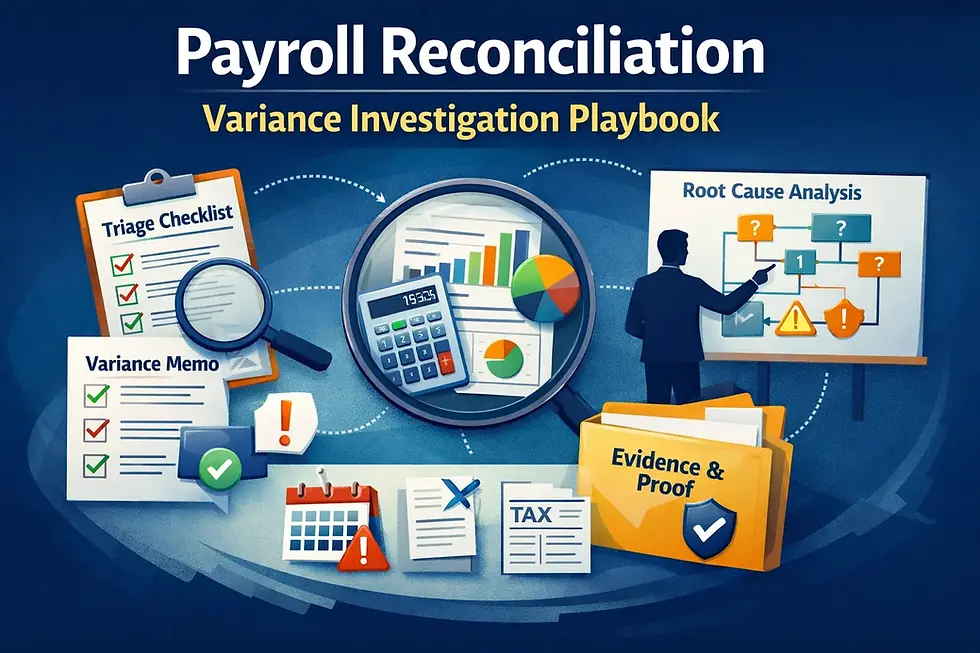
Payroll Reconciliation Variance Investigation Playbook

Updated: Sep 18
A practical triage system to isolate root cause, document reconciling items, and keep month-end close predictable.

For teams evaluating a payroll provider change, this advisor-led matching option may help.
Why payroll variances keep resurfacing
Most payroll reconciliation guides stop at “compare the payroll register to the general ledger.” That’s not where teams get stuck.
Teams get stuck here:
The totals don’t match and nobody knows where to start.
The variance is small but recurring, so it becomes permanent monthly rework.
The variance is large and urgent, so close turns into a scramble of screenshots and “maybe it’s taxes” guesses.
Different people reconcile differently, so outcomes are inconsistent and hard to audit.
Payroll reconciliation is supposed to reduce risk and create trust. When variances persist, payroll becomes a monthly “investigation project” that drains time from finance and payroll—and increases the odds that a real issue goes unnoticed.
This guide is built for the moment the tie-out fails. It provides:
a triage checklist to isolate root cause in a predictable order
a diagnosis library of the most common variance patterns
an evidence memo structure so the result is close-ready, not tribal knowledge
The investigation trade-off
When a payroll-to-GL variance appears, teams usually choose between:
Fast patching: force the numbers to match (manual reclass, plug entry, “we’ll fix next month”)
vs
Root-cause closure: identify the reconciling items, correct the underlying driver, and document what changed
Fast patching optimizes for speed today. Root-cause closure optimizes for lower recurring overhead and higher confidence in payroll accounting over time.
This guide favors root-cause closure—but in a time-boxed way. The objective is not perfection; it’s a repeatable method that turns variances into explainable reconciling items and permanent fixes.
What “good” looks like (definition of a solved variance)
A variance is “solved” when you can answer these questions in one page:
What is the variance, exactly?
Which account(s) and which period(s) are impacted—and what totals are being compared?
What are the reconciling items?
A short list of specific, named causes (not “taxes” or “timing” as a guess).
What is the corrective action?
What changed (mapping, setup, journal entry, accrual, correction) and when it will stop recurring.
What proof exists?
The minimal artifacts that let another person re-perform the tie-out and reach the same conclusion.
General ledger reconciliation guidance consistently emphasizes investigating discrepancies by identifying reconciling items and documenting corrective action.
High-level conclusion: most variances fall into 6 root-cause families
When payroll doesn’t reconcile, the cause is usually one (or more) of these families:
Timing differences (posting date vs pay date vs cash date; accrual vs cash basis)
Mapping drift (accounts/dimensions changed or defaults applied)
Population differences (who/what is included: terminations, off-cycles, contractors, special earnings)
Gross-to-net composition changes (deductions, benefits, employer taxes changing the bucket totals)
Corrections and reversals (retro, voids, adjustments, prior-period corrections)
Manual entries and reclasses (someone “fixed” something last month and didn’t document the pattern)
This guide’s triage sequence is designed to isolate which family you’re in quickly—before you waste time digging in the wrong place.
Related decision guide: Payroll-Accounting Reconciliation Operating Model
Related decision guide: Payroll Change Control Playbook
Related decision guide: Payroll Record Retention & Audit-Ready Evidence Pack
Get Your Free Payroll Software Matches
SelectSoftware Reviews Offers 1:1 Help From a Payroll Software Advisor. Get in touch to:
Table of contents
High-level conclusion: most variances fall into 6 root-cause families
Payroll Reconciliation Variance Triage Checklist
Runbook: how to investigate payroll variances without turning close into a research project
Diagnosis library: the most common payroll reconciliation variances (and what to check first)
Payroll Reconciliation Variance Triage Checklist
Use this checklist whenever payroll totals do not reconcile to the general ledger (GL). It is designed to force a consistent investigation order so teams don’t jump straight to guesswork.
The goal is to end with a variance memo: a short explanation of the reconciling items, corrective action, and proof.
Artifact Table A — Triage sequence (identify the variance family fast)
Step | Triage check | What “pass” looks like | Owner | Evidence to retain |
A1 | Confirm what totals are being compared | You can state: register report, GL report, period, and exact accounts included | Payroll/Finance | Screenshot/export of both totals |
A2 | Confirm timing basis (period vs pay date vs posting date) | The comparison uses a consistent timing rule; timing differences are named | Finance | Timing note (1 paragraph) |
A3 | Confirm population scope | Same population is included (employees, pay groups, off-cycles, reversals) | Payroll | Population list/filters used |
A4 | Break variance into buckets (wages, employer taxes, benefits, other) | Variance is localized to 1–2 buckets, not a single unexplained total | Payroll/Finance | Bucket worksheet (simple) |
A5 | Check posting model and mapping snapshot | Mapping and dimensions match the intended model; no default drift | Finance/Payroll | Mapping snapshot + date |
A6 | Identify correction/reversal activity | Any retro/void/correction is identified and quantified | Payroll | Correction log / run notes |
A7 | Check manual entries/reclasses touching payroll accounts | Any manual journal entry affecting payroll accounts is identified | Finance | JE listing for payroll accounts |
A8 | Assign variance family | Variance is categorized into one of the 6 root-cause families | Payroll/Finance | Variance family label |
A9 | Decide on corrective action path | You choose: fix underlying driver vs documented reconciling item | Payroll/Finance | Action decision note |
A10 | Produce the variance memo | A one-page memo exists with reconciling items + fix + proof links | Finance | Variance memo + attachments |
Artifact Table B — Variance memo template (close-ready evidence output)
Field | What to write | Example level of specificity | Owner | Evidence to attach |
B1 Variance summary | Amount, accounts, period, comparison basis | “$2,340 variance in Payroll Tax Liability for Feb close; register vs GL posting output” | Finance | Register + GL extract |
B2 Reconciling items | 1–5 named causes with amounts | “$1,800 timing accrual; $540 correction run posted next day” | Payroll/Finance | Posting output + correction notes |
B3 Root cause | Why the reconciling item exists | “Posting cadence difference; correction run had separate entry” | Payroll | Run notes / cadence note |
B4 Corrective action | What changes and when it stops recurring | “Update posting cutoff; add exception run tagging; monitor next 2 cycles” | Payroll/Finance | Change record |
B5 Proof and owner | Where proof lives + who signed off | “Evidence pack saved; Finance approved on 3/10” | Finance | Approval record |
Get Your Free Payroll Software Matches
SelectSoftware Reviews Offers 1:1 Help From a Payroll Software Advisor. Get in touch to:
Runbook: how to investigate payroll variances without turning close into a research project
The checklist tells you what to check. This runbook tells you how to run the investigation so the team gets to a decision quickly and documents it in a form finance can reuse next month.
The key principle is simple: do not start with line-item hunting. Start with scope, timing, and bucket isolation. Most teams lose time because they open transactions before they know which comparison is actually failing.
Step 1 — Freeze the comparison basis before anyone investigates
Before anyone starts pulling reports, answer four questions in writing:
Which payroll report is the source for the payroll side of the tie-out?
Which GL report or posting extract is the source for the accounting side?
What period is being reconciled?
Is the basis pay date, payroll completion date, posting date, or month-end accrual basis?
A surprising number of “variances” are really just mismatched report logic. If payroll is using a register by pay date and finance is using a GL extract by posting date, the tie-out can fail even when the underlying setup is correct.
This is why A1 and A2 come first. Until the comparison basis is locked, the investigation is noise.
Step 2 — Localize the variance before chasing causes
Do not begin with “something is off in payroll.” Break the variance into high-level buckets first:
wages expense
employer taxes
employee deductions / liabilities
employer benefits or other employer-paid amounts
net pay / cash clearing
manual payroll-related reclasses
Once the difference is localized, the investigation becomes smaller and more predictable. A payroll tax liability variance should not be investigated the same way as a wage expense variance. The same applies to benefit deductions versus cash clearing.
This bucket-first approach is what turns reconciliation from “forensics” into workflow.
Step 3 — Eliminate the three false positives first
Before you assume something is broken, rule out the three most common false positives:
False positive 1: Timing difference
A payroll run posted after the period cut-off, or a correction run posted on a different date than the original run. This is especially common around month-end.
False positive 2: Population mismatch
The payroll report includes an off-cycle, terminated employee, or correction population that finance excluded from the GL comparison.
False positive 3: Manual finance activity
Someone posted a manual journal entry or reclass to a payroll-related account and did not connect it back to the payroll close packet.
If one of these explains the variance, document it as a reconciling item and stop over-investigating. The goal is not to “find drama.” The goal is to explain the difference correctly.
Step 4 — Move from bucket to variance family
Once the variance is localized, assign it to one of the six root-cause families from the opening section. This is the bridge from detection to diagnosis.
Timing differences
Look for posting delays, period boundaries, cash timing, accrual reversals, and exception runs posted outside the expected cycle.
Mapping drift
Look for changed account mappings, new earnings or deduction codes, tracking category drift, or default accounts used unexpectedly.
Population differences
Look for omitted or duplicated employee groups, off-cycle inclusion, terminated employees, rehires, and special pay groups.
Gross-to-net composition changes
Look for employer taxes, benefit deductions, pretax/post-tax treatment changes, and unusually large deduction shifts.
Corrections and reversals
Look for retro entries, voids, reversals, corrected checks, and prior-period adjustments.
Manual entries and reclasses
Look for finance intervention, close clean-up entries, suspense accounts, and ad hoc journals touching payroll accounts.
The purpose of naming the family is to keep the investigation from spreading into all six at once.
Step 5 — Write the variance memo before you think you’re done
Do not wait until the end to “document later.” The variance memo should be drafted as the investigation proceeds.
A strong memo is short. It should state:
what totals were compared
what the variance amount was
which reconciling items explain it
whether the issue is recurring or one-time
what corrective action is required
where the proof is stored
If a finding cannot be written clearly, it probably is not fully understood yet. That is a useful test.
Related decision guide: Payroll Record Retention & Audit-Ready Evidence Pack
Step 6 — Separate “explained variance” from “fixed variance”
This distinction matters.
An explained variance is one you understand. A fixed variance is one where the underlying driver will not recur without deliberate approval.
Examples:
A month-end posting delay that is documented is explained, but not fixed if it will happen again next month.
A mapping error corrected with approval and effective dating is both explained and fixed.
A manual reclass with no process change is explained, but not fixed.
This is where many teams underperform. They solve the month, not the process.
Related decision guide: Payroll Change Control Playbook
Step 7 — Close with a prevention action, not just a tie-out
Every variance investigation should end with one of three outcomes:
No process change needed
The variance was a legitimate timing item or documented one-time event.
Monitoring change needed
Add a new recurring check, exception tag, or cadence note.
Configuration/process change needed
Update mapping, approvals, exception handling, posting rules, or evidence pack design.
If the same variance family appears more than twice, it should no longer be treated as a monthly surprise.
Diagnosis library: the most common payroll reconciliation variances (and what to check first)
This section is the practical core of the guide. It is designed for the moment someone says, “Payroll doesn’t tie.”
Pattern 1: Wages reconcile, but payroll tax liabilities do not
What it looks like
Gross wage expense matches expectations, but tax liabilities in the GL are too high, too low, or drifting month over month.
Most likely causes
employer tax mapping drift
tax-related correction runs posted separately
timing mismatch between payroll register and GL posting
manual liability reclass entries
What to check first
bucket worksheet for employer taxes
correction/off-cycle run notes
liability account mapping snapshot
any manual journals posted to payroll tax liability accounts
Fast fix path
isolate the variance to a specific tax liability bucket
document whether it is timing, mapping, or manual activity
update the variance memo and assign corrective action if recurring
Related decision guide: Payroll Exception Handling SOP
Pattern 2: Net pay clears correctly, but wage expense is off
What it looks like
Cash behavior appears normal, but wage expense in the GL does not reconcile to payroll.
Most likely causes
earnings code mapping drift
special earnings (bonus, commissions, PTO payout) using default accounts
population mismatch from off-cycles or terminations
manual wage reclasses in finance
What to check first
earnings code mapping snapshot
special earnings activity in the period
whether off-cycles are included in both sides of the comparison
any manual journals affecting wage expense accounts
Fast fix path
isolate the outlier earnings categories
correct mapping and document effective date
rerun the posting or update the close memo with reconciling items
Pattern 3: Variance appears only after an off-cycle or correction run
What it looks like
The normal payroll run ties out, but the month fails once an off-cycle, reversal, or adjustment is included.
Most likely causes
exception runs post with different mapping logic
correction entries hit the GL on a different cadence
reversal behavior is not included in the standard tie-out method
prior-period adjustments are being mixed into current-period review
What to check first
all exception payroll activity for the period
whether the tie-out method explicitly includes exception runs
posting dates relative to the close period
any special accounts used only for corrections
Fast fix path
create a separate exception-run reconciling item if needed
update the close packet to require an exception note whenever off-cycles exist
validate whether the behavior is acceptable or needs a process change
Related decision guide: Payroll Hypercare-to-BAU Transition Playbook
Pattern 4: Variance is small, recurring, and nobody owns it
What it looks like
The amount is not material enough to trigger escalation, but it appears every month and is often “plugged.”
Most likely causes
habitual manual reclasses
low-level mapping drift
rounding/timing logic used inconsistently
unclear ownership between payroll and finance
What to check first
last 3–6 months of variance memos
whether the same accounts and amounts recur
whether corrective action was ever assigned
whether the same person always resolves it informally
Fast fix path
stop treating it as harmless
classify it into one of the six variance families
assign an owner and deadline for structural correction
Small recurring variances are exactly how weak controls become normalized.
Pattern 5: Benefit deductions and liabilities do not tie
What it looks like
Employee deductions or employer benefit amounts look reasonable in payroll, but the GL liability or expense accounts do not align.
Most likely causes
deduction code mapping drift
pretax/post-tax treatment changes not reflected in mapping
benefit arrears or catch-up adjustments
manual close entries masking the pattern
What to check first
deduction and employer benefit mapping snapshot
benefit-related exception activity in the pay period
whether arrears or manual catch-up logic was used
any liability reclasses touching benefit accounts
Fast fix path
isolate the deduction category causing the issue
document whether the variance is composition, timing, or mapping
update the variance memo and, if recurring, the setup governance
Pattern 6: Tracking categories or dimensions are blank/inconsistent
What it looks like
Overall payroll totals reconcile, but reporting by department, location, or cost center is unreliable.
Most likely causes
missing tracking/dimension logic in payroll posting
blank fallback behavior for special cases
timekeeping or employee master data not aligned to accounting dimensions
corrections/off-cycles bypassing tracking
What to check first
whether tracking is treated as a required field or optional convenience
special payroll runs with blank dimensions
employee/location/timekeeping alignment
mapping changes affecting dimensions
Fast fix path
treat tracking as a Tier 1 requirement if finance depends on it
rerun dimension stress tests in your validation approach
document the specific scenarios where tracking fails
Related decision guide: Payroll Software Compatible With Xero: Integration Validation Checklist
Related decision guide: Payroll Software Compatible With QuickBooks: Integration Validation Checklist
Pattern 7: Finance and payroll each have a “correct” number
What it looks like
Payroll’s register total is defensible. Finance’s GL extract is defensible. They just are not measuring the same thing.
Most likely causes
inconsistent comparison basis
different period logic
different population filters
no documented tie-out method
What to check first
comparison basis note from A1 and A2
report filter criteria on both sides
whether anyone has documented the standard tie-out method
Fast fix path
stop arguing about totals until the basis is standardized
create or update the tie-out method note and require it in future closes
This is less a math problem than a workflow problem.
Decision drivers
Not every payroll variance deserves the same level of escalation. These drivers help decide how strict the investigation process needs to be and where to focus effort first.
Driver 1: How dependent finance is on payroll for month-end close
If payroll feeds a disciplined close process, even small unexplained variances matter more because they slow downstream reporting and create audit trail weakness.
If finance relies heavily on payroll outputs:
require a formal variance memo for every unresolved difference
require repeatable tie-out methods, not analyst judgment
treat recurring small variances as process failures, not noise
Related decision guide: Payroll-Accounting Reconciliation Operating Model: Control Matrix and Month-End Close Checklist
Driver 2: Exception volume
The more off-cycles, reversals, retro changes, and special earnings you have, the more likely reconciliation will fail if exception handling is not explicit.
High exception volume means:
exception payroll needs its own reconciling item logic
correction runs must be tagged and documented
monthly close packets should include an exception summary by default
Related decision guide: Payroll Exception Handling SOP
Driver 3: Mapping complexity
If payroll maps into multiple expense accounts, liability accounts, departments, locations, or tracking categories, a variance investigation must go beyond “do totals match.”
High mapping complexity increases risk of:
category-specific drift
blank or default dimension fallbacks
manual reclasses hiding setup problems
Driver 4: Change frequency
If new earnings codes, deductions, benefit settings, work locations, or accounting mappings change often, reconciliation becomes a change-control issue as much as a close issue.
High change frequency means:
mapping snapshots should be retained regularly
every significant payroll configuration change needs an effective date and owner
recurring variances are more likely to be setup drift than one-time events
Related decision guide: Payroll Change Control Playbook
Driver 5: Manual journal activity in payroll-related accounts
If finance frequently posts manual entries to payroll wage, tax, or liability accounts, the risk of “phantom variances” goes up.
In that environment:
require a separate listing of manual payroll-related journals each period
require finance and payroll to agree on which entries are part of the tie-out basis
treat undocumented manual entries as a control issue, not just a reconciliation issue
Driver 6: Headcount and payroll model complexity
A one-state, salary-only payroll with few deductions behaves differently than a multi-state, hourly-heavy payroll with tips, garnishments, or multiple benefit plans.
As complexity rises:
move from single-total tie-outs to bucket-level investigations
assume diagnosis patterns will recur and design prevention actions
rely less on memory and more on evidence packs
Related decision guide: Multi-State Payroll Setup: Work Location, Tax Withholding, and Change Control Checklist
Related decision guide: Payroll Garnishment Intake-to-Remittance Operating Model
Switching triggers
For this guide, “switching triggers” are the signs that your current reconciliation approach is too informal, too manual, or too dependent on heroic effort.
Trigger 1: Reconciliation depends on one person’s memory
If only one person knows which reports to pull, what timing basis to use, or how to explain recurring differences, your process is fragile.
Trigger 2: Variances are routinely plugged instead of explained
If manual reclasses or ad hoc fixes are used to “clear” payroll accounts without a root-cause memo, you are carrying unresolved control debt.
Trigger 3: The same variance family appears month after month
Recurring timing, mapping, or exception-related variances are a signal that the problem has moved from “investigation” to “operating model failure.”
Trigger 4: Exception payroll repeatedly breaks tie-outs
If off-cycles, reversals, or retro runs keep creating unexplained differences, your standard reconciliation method is incomplete.
Related decision guide: Payroll Hypercare-to-BAU Transition Playbook
Trigger 5: Finance and payroll do not agree on the comparison basis
If the teams regularly use different reports, different period logic, or different populations, you do not have a reconciliation process—you have two separate interpretations.
Trigger 6: Manual journal activity obscures payroll truth
If payroll-related accounts are frequently adjusted outside the payroll workflow, you need stronger controls around posting logic and evidence retention.
Related decision guide: Payroll Record Retention & Audit-Ready Evidence Pack
Failure modes
These are the most common ways payroll reconciliation investigations fail even when teams are trying to be careful.
Failure mode 1: Starting with transactions instead of scope
Teams jump into line-item review before confirming what totals are actually being compared.
Why it fails:
It produces a lot of movement with little certainty and often mixes multiple variance families together.
Prevention:
Always lock A1 and A2 first: source reports, period, and timing basis.
Failure mode 2: Treating all variances as “tax issues”
Payroll tax is a common suspect, but many variances actually come from mapping drift, off-cycles, or manual journals.
Why it fails:
It sends the investigation into the wrong bucket and delays resolution.
Prevention:
Break the variance into buckets before assigning a root cause family.
Failure mode 3: Closing the month without writing the memo
Teams explain the issue verbally, maybe fix it, and move on.
Why it fails:
Next month the same issue returns and no one can remember what happened or whether it was resolved structurally.
Prevention:
Require the one-page variance memo every time A8 produces a named variance family.
Failure mode 4: Confusing “explained” with “fixed”
A variance can be explained without the root cause being corrected.
Why it fails:
Recurring issues become normalized because each month is treated as a separate event.
Prevention:
Always classify the corrective action as one of three outcomes:
no process change needed
monitoring change needed
configuration/process change needed
Failure mode 5: Letting manual reclasses hide systemic errors
Manual finance entries can make the GL tie out while leaving payroll configuration broken.
Why it fails:
It creates a surface-level match and a deeper ongoing defect.
Prevention:
Require separate visibility into payroll-related manual journals and connect them to the variance memo.
Failure mode 6: No owner for recurring variance families
If a recurring issue is identified but no one owns the fix, it becomes permanent monthly overhead.
Prevention:
Every recurring variance family should end with an owner, due date, and next-cycle check.
Migration considerations
This guide is not a payroll migration guide, but migrations and system changes are one of the biggest sources of new reconciliation variance patterns.
Consideration 1: Baseline your tie-out method before changing systems
Before changing payroll providers, posting models, or accounting mappings, preserve:
a recent payroll register
the corresponding posting output
the tie-out method note
any recurring variance memo patterns already known
This creates a comparison baseline after go-live.
Related decision guide: Payroll Cutover Validation Checklist
Consideration 2: Expect new variance families after implementation
A new provider or integration may preserve payroll processing but still change:
posting cadence
account mapping behavior
exception run behavior
dimension/tracking logic
Do not assume “same totals” means “same reconciliation experience.”
Related decision guide: Payroll Software Compatible With QuickBooks: Integration Validation Checklist
Related decision guide: Payroll Software Compatible With Xero: Integration Validation Checklist
Consideration 3: Build variance triage into hypercare
The first 1–3 cycles after a migration should include explicit variance investigation, not just payroll run monitoring.
That means:
compare baseline tie-out patterns to new patterns
document any new reconciling item family
escalate recurring differences before they normalize
Related decision guide: Payroll Hypercare-to-BAU Transition Playbook
Consideration 4: Treat mapping changes as migration events even without switching providers
A new chart of accounts, new tracking categories, new timekeeping mapping, or new benefit setup can create migration-like reconciliation risk even inside the same payroll platform.
If the accounting logic changes, use the same discipline:
define the intended future-state mapping
validate outputs in a controlled window
preserve before/after evidence
Related decision guide: Payroll Provider Data Migration Field Map
Final recommendation summary
Payroll reconciliation gets expensive when teams treat every variance like a unique mystery.
The better operating model is:
lock the comparison basis first
isolate the variance into buckets
assign the correct root-cause family
document reconciling items in a short variance memo
separate “explained” from “fixed”
assign prevention actions when the same variance family recurs
If you implement only a few controls, prioritize these:
A standard triage sequence
A one-page variance memo
Visibility into manual journals touching payroll accounts
A recurring-variance prevention step
Those four controls turn reconciliation from monthly detective work into a repeatable close process.
Related decision guide: Payroll Change Control Playbook
Related decision guide: Payroll Record Retention & Audit-Ready Evidence Pack
Next steps if you’re ready to act
Standardize the comparison basis for the next close
Write down the exact payroll report, GL report, population, and timing basis your team will use. Do not begin the investigation until everyone agrees.
Use the triage checklist for the next variance instead of jumping to line items
Localize the variance into buckets first, then assign the root-cause family.
Require a one-page variance memo whenever payroll does not tie
Keep it short:
variance summary
reconciling items
root cause
corrective action
proof and owner
Separate one-time reconciling items from recurring process failures
If the same issue appears twice, assign a structural corrective action and track it.
Review manual payroll-related journal entries every month
Do not let plugs or reclasses hide configuration drift or unresolved payroll process defects.
Related decision guide: Payroll-Accounting Reconciliation Operating Model: Control Matrix and Month-End Close Checklist
Related decision guide: Payroll Exception Handling SOP
Get Your Free Payroll Software Matches
SelectSoftware Reviews Offers 1:1 Help From a Payroll Software Advisor. Get in touch to:
Q&A: Payroll reconciliation variances
Q1) What’s the first thing to do when payroll doesn’t reconcile to the general ledger?
Lock the comparison basis before investigating. Confirm which payroll report and GL report are being compared, what period is being reconciled, and whether the basis is pay date, posting date, or accrual timing. Many “variances” are actually mismatched report logic.
Q2) What are the most common causes of payroll reconciliation variances?
Most variances fall into a few repeatable families: timing differences, mapping drift, population mismatches, gross-to-net composition changes, corrections/reversals, and manual journal entries or reclasses touching payroll accounts.
Q3) What should a payroll variance memo include?
Keep it short and repeatable: the variance amount and accounts affected, the reconciling items, the root cause, the corrective action, and where the proof is stored. The goal is to let another person understand and re-perform the investigation quickly.
Q4) How do we know whether a variance is just a timing issue or a real problem?
Start by confirming timing basis and posting cadence. If the difference is caused by known cut-off timing or accrual logic and can be documented clearly, it may be a legitimate reconciling item. If it recurs without a stable explanation, it is a process problem.
Q5) Why do off-cycles and correction runs cause reconciliation problems so often?
Because exception payroll often posts differently than standard payroll. If your tie-out method assumes only normal runs, corrections, reversals, and off-cycles will create unexplained differences until they are explicitly included in the process.
Q6) What’s the biggest mistake teams make when investigating payroll variances?
Jumping into transaction detail too early. If you skip scope, timing, and bucket isolation, you waste time hunting line items before you know which variance family you’re actually dealing with.
Get new payroll decision guides and operational checklists
Subscribe and receive the Payroll Provider Data Migration Field Map (editable spreadsheet)


About the author
Ben Scott writes and maintains payroll decision guides for founders and operators. His work focuses on execution realities and how decisions hold up under growth, complexity, and controls and documentation pressure. He works hands-on in HR and leave-management roles that intersect with payroll-adjacent workflows such as benefits coordination, cutovers, and compliance-driven process controls.


