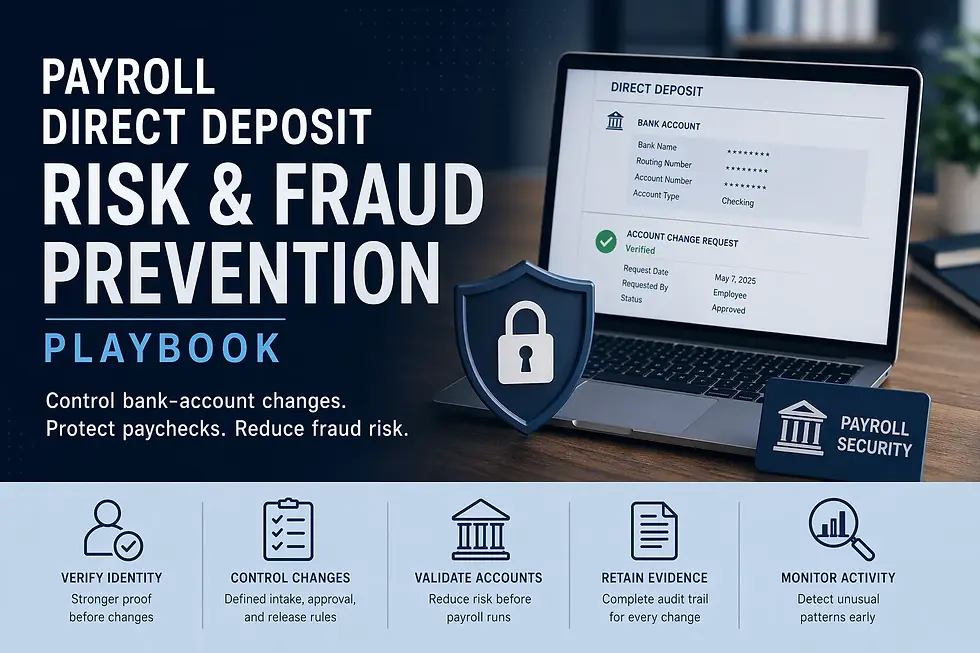
Payroll Direct Deposit Risk & Fraud Prevention Playbook

Updated: Sep 18
A practical guide to designing direct deposit controls that reduce payroll fraud, contain change-request risk, and make bank-account updates safer before they become payroll reality.

For teams evaluating a payroll provider change, this advisor-led matching option may help.
Most direct deposit fraud does not begin with payroll release
It begins earlier, when the organization treats a bank-account change like a routine profile update instead of a payment-instruction change.
That distinction matters more than many teams realize.
A direct deposit update is not just another employee-data edit. It is a live instruction that tells the employer where wages should go next. Once that change is accepted into payroll, the company is no longer dealing with an administrative preference.
It is dealing with a payment destination decision inside the ACH network that can be expensive, fast-moving, and difficult to unwind after release. Nacha describes the ACH Network as the system that drives direct deposits to U.S. bank and credit union accounts, and its fraud materials specifically identify payroll impersonation as a credit-push fraud scenario.
That is why direct deposit fraud is usually misframed.
The weak framing is:
an employee wants to change bank details
payroll needs to update the record
someone should verify the request
the change should be completed before the next payroll
The stronger framing is:
a payment instruction is being changed
an impersonation or account-takeover attempt may be involved
the request channel itself may be untrustworthy
the payroll team needs a control path, not just a courtesy check
Nacha’s fraud guidance is explicit on this point. It identifies payroll impersonation as a
recognized fraud pattern and advises employers to consider validating new direct deposit information, including through ACH prenotification, while also using alerts for unusual bank-change activity such as repeated use of the same routing or account numbers.
The real question is not “how do we verify bank changes”
The stronger question is:
What operating model should control direct deposit changes from request through release so a bad request cannot quietly become payroll reality?
That is a much more useful decision question than the current market language usually offers.
Most guidance in this area still clusters around a few familiar tactics:
verify the change with the employee
restrict who can edit bank data
use MFA
monitor for phishing
review bank-change reports
Those are all useful.
They are not enough by themselves.
The authority refresh showed a practical gap. Official sources clearly describe the fraud environment, but they usually stop short of a fully articulated payroll operating model.
The FBI describes business email compromise as one of the most financially damaging online crimes and has specifically warned about cybercriminals impersonating employee self-service websites to steal credentials and divert funds.
The IRS also continues to warn employers and payroll professionals about phishing and payroll/HR data-theft scams aimed at stealing payroll information.
NIST’s authentication guidance and small-business MFA guidance reinforce that phishing-resistant authentication and stronger identity controls matter because phishing and social engineering remain effective against weak authentication patterns.
What those sources still leave under-covered is the payroll-process question:
Who can request a change, through what channel, with what proof, under which approval rule, with what cooling-off or validation step, and with what evidence trail before payroll releases funds to a new account?
That is the framing this rewrite uses.
The strongest direct deposit model is not fraud review layered on top of payroll
It is payment-change control built into payroll operations.
That is the first high-level conclusion.
A lot of teams still treat direct deposit risk as a side control:
HR or payroll receives the request
someone does an extra check
the change is made
the run proceeds
That model is usually too weak once the organization has:
employee self-service
multiple payroll admins
delegated HR access
fast payroll cycles
remote teams
phishing exposure
manager escalation pressure
frequent onboarding and banking changes
A stronger model treats direct deposit changes as a separate control class because they combine three risks at once:
identity risk, because the requester may not be who they appear to be
payment risk, because wages may be redirected irreversibly or only partially recoverably
audit-risk, because later the company will need to explain who changed what, based on what evidence, and under what approval path
If broader payroll permissions and admin roles are already too loose, the stronger companion control is often payroll access design before the direct-deposit process itself gets blamed for changes that were really enabled by weak role structure.
Most direct deposit fraud losses are really control-design failures
That does not mean every incident is preventable.
It does mean many incidents become possible because the control model quietly assumed something that should never have been assumed, such as:
email is a trustworthy request channel
self-service login proves the person is the employee
manager urgency justifies skipping the normal path
one reviewer is enough for high-risk payment changes
the request is legitimate because the employee data in the message looks correct
the team can fix the problem later if something goes wrong
Nacha’s fraud materials and the FBI’s BEC guidance both point toward the same lesson: fraudsters exploit legitimate-looking payment instructions, impersonation, compromised credentials, and trusted communication patterns.
That is why a strong direct deposit control design should begin by assuming:
the request channel may be compromised
the employee identity claim may be compromised
the timing may be engineered to pressure payroll
the requested payment destination may be fraudulent even if the surrounding information looks normal
That assumption is not paranoia.
It is the beginning of a usable control model.
What a stronger playbook should usually prove
Before the company says its direct deposit process is under control, it should usually be able to prove four things.
1. Request intake is controlled
The organization should know which channels are allowed, which channels are not trusted on their own, and what evidence must exist before a change request can enter workflow.
2. Identity proof is stronger than convenience
The team should know how the employee is authenticated for a bank-change request and what happens when the request arrives through a weak or suspicious channel. NIST’s guidance is relevant here because phishing-resistant authentication is specifically recommended as stronger protection than weaker MFA methods that remain susceptible to phishing.
3. Release risk is separated from update risk
A stronger model should distinguish between:
changing the record
validating the change
allowing the new account to be used for live payroll
That is exactly where prenotes, cooling-off logic, exception approval, or next-cycle holds can matter, depending on the organization’s design. Nacha’s account-validation and fraud materials support that more layered approach.
4. The evidence trail is usable after the fact
If a change later turns out to be wrong or fraudulent, the company should be able to show:
who requested it
how identity was established
who approved it
when it was entered
when it became eligible for payroll use
what review evidence exists
If the broader weakness is that sensitive payroll changes are still poorly evidenced after they occur, the stronger companion control is often payroll change audit trail so direct-deposit changes do not disappear into system history without a real operating record.
Get Your Free Payroll Software Matches
SelectSoftware Reviews Offers 1:1 Help From a Payroll Software Advisor. Get in touch to:
Table of contents
Most direct deposit fraud does not begin with payroll release
The strongest direct deposit model is not fraud review layered on top of payroll
Most direct deposit fraud losses are really control-design failures
How to use the matrix without turning every direct deposit update into a week-long event
What should still block a direct deposit change from being used in live payroll
The direct deposit process usually breaks down in familiar ways
Diagnosis library: what recurring direct deposit problems usually mean
The decision point that matters here
The core decision is not whether to “verify bank changes.”
It is how to design a direct deposit change process that controls request intake, identity proof, approval, validation, release timing, and evidence strongly enough that a fraudulent or compromised change cannot move from request to paid payroll simply because it looked routine.
A strong direct deposit process only works if the change cannot move from request to release in one uncontrolled motion
This is where many teams still get exposed.
They have some controls:
employees are told to use self-service
payroll can review bank-change reports
admins are supposed to verify unusual requests
changes can be seen in the system history
Those controls are helpful.
They still leave a major weakness if one person, one channel, or one successful impersonation attempt can move the entire process from:
request
to record update
to payment release
without a meaningful control break in between.
A stronger operating model separates the direct deposit process into distinct control stages:
intake
identity proof
change entry
approval or exception review
release eligibility
payroll-use validation
evidence retention
That separation matters because fraud prevention is strongest when no single weak point can carry the whole instruction into live pay.
Direct deposit change control matrix
Control stage | What must be true | What should still block release | Primary owner |
Request intake | The request came through an approved channel, includes the required fields, and is treated as a payment-instruction change rather than a casual employee-data update | Email-only requests, manager-forwarded requests, missing account details, suspicious urgency, or requests sent through unapproved channels | Payroll admin or HR/payroll operations |
Identity proof | The employee’s identity is established through a stronger method than the request itself, such as authenticated self-service, controlled callback, documented verification workflow, or another approved proof standard | Identity based only on email content, caller familiarity, partial personal data, or a compromised-looking employee account or session | Payroll admin with security-aware escalation path |
Change entry and approval | The bank change is entered by an authorized person or approved workflow, and any exception path is documented before the update becomes payroll-eligible | Same-person request, entry, and approval without compensating controls; unclear exception handling; or admin changes made outside the standard path | Payroll operations lead or authorized payroll processor |
Release timing and validation | The new account is not treated as ready for live payroll until the release rule is satisfied, which may include cooling-off, prenote, validation, or pre-payroll review depending on company design | Same-cycle change under weak proof, high-risk timing near payroll cutoff, multiple recent bank changes, or unresolved identity concerns | Payroll lead or designated approver |
Evidence and audit trail | The company can show what was requested, how identity was proved, who approved the change, when it became active, and whether any exception path was used | Missing proof record, incomplete audit trail, or change history that depends only on system memory without retained operating evidence | Payroll owner plus records/control owner |
How to use the matrix without turning every direct deposit update into a week-long event
The point is not to make ordinary employee banking changes impossible.
The point is to make fraudulent or weakly supported changes harder to carry through the process than legitimate ones.
That means each row should answer a practical question:
What would have to be true before we trust this new payment destination with live wages?
That is the question weaker models skip.
Request intake
This is where many organizations are softer than they think.
A request may arrive through:
employee self-service
a payroll inbox
HR shared inbox
manager-forwarded email
phone call
chat message
onboarding form
helpdesk ticket
Those are not equally trustworthy.
A stronger model does not merely ask whether the employee asked for the change. It asks whether the request arrived through a channel that is allowed to start the process at all.
That matters because FBI and IRS fraud warnings repeatedly emphasize impersonation and credential-based scams aimed at payroll and HR workflows.
A useful intake rule usually does three things:
defines approved request channels
defines channels that are never sufficient on their own
defines when the request must be kicked into a higher-verification or hold path
If your broader weakness is that payroll changes are still entering the process too late or too loosely documented, the stronger companion control is often payroll input readiness so bank-change requests do not arrive as cutoff-pressure exceptions.
Identity proof
This is the control point most teams think about first, but they often define it too loosely.
A weak model assumes one of these is enough:
the request came from the employee’s email
the caller knew personal details
the manager confirmed it
the employee was logged into something once
the person sounded legitimate
That is not strong enough for a payment-destination change.
NIST’s guidance is relevant because it emphasizes stronger authentication design and specifically recommends phishing-resistant authentication where risk justifies it, precisely because weaker authentication can still be exploited through phishing and credential compromise.
A stronger payroll operating rule usually means:
the request channel itself is not the proof
self-service may be acceptable only when access controls and MFA are strong enough
email alone should not authenticate a banking change
a callback or secondary verification path should be designed so it is not easily spoofed
urgent same-cycle changes should face a higher proof threshold, not a lower one
That does not mean every company needs the same identity method.
It does mean identity proof should be deliberately designed, not assumed.
Change entry and approval
This is where the process often looks controlled in the system while still being weak operationally.
A direct deposit change may be:
requested by one person
entered by that same person
approved by nobody
or changed by an admin with broad access and no meaningful separation
That is a design problem.
A stronger model asks:
who can enter a change
who can approve or release it
what dual control applies for exceptions
what happens when the same person has broad admin rights
whether emergency paths are visible and rare or invisible and routine
If broader payroll permissions and admin privilege are still too broad, the stronger companion control is often payroll access design because direct-deposit fraud risk rises sharply when sensitive payment changes and final payroll actions live under the same weak permission model.
Release timing and validation
This is the stage too many teams skip.
They verify the request, update the record, and treat the new bank destination as immediately fit for live pay.
A stronger model recognizes that “record changed” and “ready for payroll release” are not the same thing.
Depending on the company’s size, system design, and fraud risk, release timing may include one or more of these:
cooling-off window
prenote logic
pre-payroll bank-change report review
same-cycle exception approval
high-risk pattern review for repeated account use or multiple changes close to payday
Nacha’s direct deposit fraud materials and account-validation resources support that more layered approach. They discuss payroll impersonation, validation practices, and the use of indicators or alerts to detect suspicious changes.
The question is not whether every employer should use the same release timing rule.
The question is whether the company has any deliberate release timing rule beyond “the record was updated in time.”
Evidence and audit trail
This is what turns the process from a habit into a defensible control.
A strong direct deposit change trail should make it possible to answer:
what the original request looked like
how identity was established
who entered the change
who approved or reviewed it
when it became active
whether any exception path was used
what payroll run first used the new account
If the process later has to support an employee complaint, internal investigation, bank-recovery attempt, or audit-style review, system history alone is often too thin.
If your broader weakness is that sensitive payroll-change evidence is scattered or incomplete after the fact, the stronger companion control is often payroll change audit trail so direct-deposit controls remain explainable later instead of only visible at the moment of change.
What should still block a direct deposit change from being used in live payroll
This is where the playbook becomes real.
A direct deposit change should not be treated as payroll-ready just because:
the employee seems legitimate
the update was entered before cutoff
the record now shows the new bank details
the change came from a familiar email or manager
the amount is small
the payroll run is already under time pressure
A stronger model should still block live use when one or more of these is true:
the request channel is weak or unapproved
identity proof is weaker than the company’s required standard
the change arrived too close to release without exception approval
the same account appears across multiple employees unexpectedly
repeated recent changes suggest compromise or fraud pressure
the evidence trail is incomplete
the process depends on “we can correct it later” rather than on release confidence now
If those conditions exist, the right answer is often not to rush the change through.
It is to hold the change from live payroll use until the control path is complete.
Get Your Free Payroll Software Matches
SelectSoftware Reviews Offers 1:1 Help From a Payroll Software Advisor. Get in touch to:
The direct deposit process usually breaks down in familiar ways
Direct deposit fraud and direct deposit control failures rarely show up first as “our payment-change operating model is weak.”
They usually show up as symptoms:
an employee says the paycheck went to the wrong account
a same-cycle bank change was pushed through under urgency
payroll cannot tell whether a request was truly employee-initiated
self-service access was used, but identity confidence is still weak
one admin can receive, enter, approve, and release a bank change without a real control break
the process looks fine until a fraudulent change moves through it successfully once
That pattern matters because it means the weakness is usually not one missing tactic.
It is a process-design weakness.
The organization does not need to start by asking whether it should make one more confirmation call. It needs to ask where the change can still outrun control:
at intake
at identity proof
at entry
at approval
at release timing
at evidence retention
The FBI, IRS, Nacha, and NIST materials all point in that same direction, even when they describe different parts of the problem. The common lesson is that impersonation, credential compromise, weak authentication, and payment-instruction fraud become dangerous when a trusted-looking request can move too quickly into action.
A practical runbook for direct deposit change control
The control matrix defines what should be true.
The runbook defines how payroll, HR, finance, and operations should actually run the
process before a bank change becomes live.
1. Treat every bank-account update as a payment-instruction event
This is the first control step.
Do not treat direct deposit changes like ordinary profile maintenance.
The process should begin with a standing assumption:
this request changes where wages will go
the request channel may be compromised
the employee claim may be compromised
urgency may be part of the attack pattern
release confidence matters more than change-entry speed
That assumption immediately improves the process because it forces the team to stop asking:
how fast can we update this
and start asking:
what must be true before we trust this destination with wages
2. Force request intake into defined channels
A stronger direct deposit model does not merely prefer certain channels.
It defines them.
That means the company should know:
which channel is the standard path
which channels are acceptable only with secondary proof
which channels are never enough by themselves
which channels should trigger escalation automatically
For many companies, that means:
authenticated self-service may be the primary path
email may be treated as a notification channel, not a sufficient instruction channel
manager-forwarded requests may be treated as weak by default
phone requests may require follow-up through a stronger verification method
helpdesk or ticket requests may need identity proof beyond the ticket itself
If the broader weakness is that payroll changes are arriving too late or too casually across multiple input paths, the stronger companion control is often payroll input readiness so the organization stops normalizing cutoff-driven change pressure.
3. Separate identity proof from request possession
This is where a lot of organizations still leave too much room for fraud.
A fraudster may have:
an employee email account
enough personal details to sound plausible
access to a manager thread
employee self-service credentials obtained through phishing
enough urgency to push the change toward exception handling
That is why the process should ask:
what proves the requestor is really the employee
what proves the session or request was not compromised
what stronger step is required when the request pattern is unusual
NIST’s authentication guidance is relevant because stronger authentication design matters most when the organization is trying to prevent an attacker from using a legitimate-looking identity path to authorize a sensitive action.
A practical model usually improves when it explicitly defines:
when self-service is enough
when self-service plus secondary review is required
when a callback must be made using independently held contact information
when same-cycle changes require higher proof than ordinary-cycle changes
4. Keep entry and release in separate control hands when possible
This is one of the strongest structural improvements a company can make.
If one person can:
receive the request
decide it looks legitimate
enter the bank change
approve the change
and then release payroll using it
then the process may be fast, but it is structurally weak.
A stronger model usually separates at least some of those actions:
request review
change entry
release review
exception approval
That does not always require a large payroll team.
In smaller teams, it may mean:
different review evidence
manager-level exception signoff
release reports reviewed by another function
tighter same-cycle exception gating
If broader payroll permission design is still too permissive, the stronger companion control is often payroll access design before the team assumes a direct-deposit fraud problem can be solved by workflow alone.
5. Build a same-cycle exception rule instead of pretending urgency does not exist
This is one of the most useful practical sections in the whole guide.
Many payroll teams know that same-cycle direct deposit changes are riskier.
Fewer define exactly what should happen when one shows up.
A stronger model usually answers:
when same-cycle changes are allowed
who can approve them
what identity proof threshold applies
whether live payroll use is allowed immediately or delayed
what evidence must be retained for the exception
That matters because urgency is one of the easiest ways for a weak control model to collapse.
A good rule does not have to eliminate every exception.
It has to stop exceptions from quietly becoming the real process.
6. Review bank-change activity before payroll finalization
This is the point where good preventive controls and good detective controls meet.
A stronger model usually includes a pre-payroll review of direct deposit changes, looking for patterns such as:
recent account changes close to payroll cutoff
multiple employees pointing to the same account
repeated changes by the same admin
unusual volume of bank changes in one cycle
recent changes tied to other suspicious events
Nacha’s fraud materials support this kind of monitoring and highlight suspicious repeated use of account and routing numbers as a fraud indicator worth watching.
If the broader weakness is that payroll still lacks a consistent final review checkpoint before release, the stronger companion control is often payroll review checklist so direct deposit change activity gets reviewed in the same governed pre-release layer as other payroll-critical risks.
7. Preserve the full change-and-release evidence trail
This is what keeps the process usable after the incident, not just during the cycle.
The retained evidence should usually preserve:
the original request
the request channel
the identity-proof method
the entry date and user
the approval or exception record
the activation timing
the first payroll run that used the new account
any post-change employee communication
That matters for:
employee complaints
internal investigations
payroll remediation
bank-recovery attempts
later control reviews
If the broader weakness is that payroll’s retained evidence still does not support later review well enough, the stronger companion control is often payroll support packaging so sensitive change-control events remain explainable after the run.
Diagnosis library: what recurring direct deposit problems usually mean
Employees can change bank details, but the company cannot explain how trust was established
This usually means the organization has a transaction path, not an identity-control model.
Same-cycle bank changes keep getting forced through under urgency
This usually means the exception path is becoming the real process.
Payroll can see who changed the bank account, but not why the change was trusted
This usually means system history exists, but the operating evidence trail is too thin.
Fraud concerns rise whenever self-service or email requests are mentioned
This usually means the organization has not decided clearly enough which channels are trusted, which are conditional, and which require stronger proof.
A wrong-bank incident becomes a scramble over who approved what
This usually means the process did not separate intake, approval, release, and evidence strongly enough before the incident happened.
What stronger teams do differently
They do not just verify bank changes.
They design the payment-change path so weak requests cannot move too far too fast.
They classify bank changes as payment-instruction risk
That changes the whole control posture.
They define stronger proof for same-cycle or suspicious changes
They do not let urgency weaken trust standards.
They separate entry from release when possible
They do not let one person carry the whole change through the process unchecked.
They review direct-deposit change activity before live payroll release
They do not wait for the wrong account incident to discover the control gap.
Switching triggers
A direct deposit control model should be tightened before payment-destination changes start being managed mainly through trust and habit.
That usually becomes visible in a few familiar ways.
Email or manager-forwarded change requests still get treated as normal enough
This is one of the clearest triggers.
If the organization still accepts bank changes through:
personal or employee email
manager-forwarded requests
chat messages
hurried “please update this today” requests
without a stronger control break, the intake model is too weak.
Same-cycle bank changes happen often enough that they no longer feel exceptional
This is another strong trigger.
If urgent payroll timing repeatedly overrides the normal bank-change process, the exception path is likely acting as the real path.
One admin can receive, enter, approve, and release direct deposit changes
That is a major warning sign.
Even if no incident has occurred yet, the structure is too dependent on individual reliability.
The team could not easily reconstruct a wrong-account event after the fact
This is the quietest but clearest trigger.
If the company cannot quickly explain:
how the request came in
how identity was established
who approved it
when it became active
then the process is weaker than it looks.
Failure modes
Weak direct deposit control models usually fail in recognizable patterns.
The “employee asked, so we updated it” failure
This is one of the most common.
The process assumes the request itself is evidence of legitimacy, even though impersonation and credential compromise are exactly what fraudsters exploit.
The “self-service means fully safe” failure
This happens when the company treats system access as the end of the identity question rather than the beginning of it.
A self-service path may be appropriate, but only if the authentication and review design are strong enough for the sensitivity of the action.
The “we can fix it if something goes wrong” failure
This is especially dangerous with direct deposit.
Once wages are released to the wrong account, recovery may be harder, slower, and less certain than the process assumed. Nacha’s fraud materials are a useful reminder that payroll payment fraud is not theoretical.
The “audit trail exists in the system somewhere” failure
This happens when the company relies on raw system history but has not retained enough operating evidence to explain why the change was trusted and released.
The “exceptions are rare, so we do not need strong exception design” failure
This is the quietest one.
A same-cycle exception path can stay weak for a long time and still be the route that matters most once a fraud attempt uses timing pressure successfully.
Migration considerations
A direct deposit control model should be revisited whenever the company changes payroll provider, employee self-service configuration, payroll admin structure, authentication method, or payroll approval workflow.
A new platform can improve the mechanics of changing bank details.
It does not automatically improve the safety of the operating model.
Do not migrate weak intake habits into a cleaner platform
If the current process still relies on:
email requests
undocumented callbacks
manager approval as identity proof
same-cycle urgency as a standing exception
thin retained evidence
those same habits will stay risky even if the new system has better screens.
Build the control path before expanding self-service or delegated admin rights
The better order is:
define approved intake channels
define identity-proof standards
define entry versus approval roles
define same-cycle exception rules
define release-review checks
define retained evidence requirements
then align the system workflow around that model
Not the reverse.
Use early live cycles to test whether the model is actually safer
The right questions are practical:
are weak-channel requests getting stopped earlier
are same-cycle exceptions becoming more visible
are bank-change reviews easier to complete before payroll finalization
is the evidence trail easier to reconstruct
would a wrong-account event be easier to investigate now than before
If those answers remain weak, the organization may have a more modern payroll workflow without a stronger direct deposit control model.
The model is working when bank-account changes become harder to push through casually and easier to explain later
That is one of the clearest practical tests.
A stronger direct deposit risk model does not eliminate every suspicious request.
It makes suspicious or weakly supported requests:
easier to identify
easier to hold
harder to release
easier to investigate
less likely to succeed through urgency alone
The organization should be able to answer:
how the request entered workflow
how identity was established
who approved the change
when the change became payroll-eligible
what payroll run first used it
what evidence supports that decision path
If those answers are becoming easier to give, the direct deposit control model is improving.
Final recommendation summary
Direct deposit fraud prevention should be treated as payment-change operating design, not just as request verification.
The strongest model usually does four things well:
controls request intake tightly
separates identity proof from request possession
breaks change entry apart from live release eligibility
retains enough evidence to explain and defend the decision later
For most companies, the next improvement is not one more fraud tip.
It is a stronger operating path.
That usually means defining:
which channels can start the process
what identity proof standard applies
who can enter versus approve a change
when the change becomes eligible for live payroll use
what evidence must be retained
That is what turns direct deposit changes from a recurring fraud exposure into a governed payroll control.
Where to tighten the process first
Start where the current process still depends most on trust.
That is usually one of these:
email-based or manager-forwarded requests
same-cycle bank changes
broad admin access without separation
weak evidence retention
no pre-payroll review of recent bank changes
identity proof that relies too heavily on the request itself
Then ask a better question than “Did we verify the bank change?”
Ask:
how did this request enter the process
what actually proved the employee’s identity
who approved live use of the new account
what would stop this same change if it were fraudulent
what evidence would we rely on later if something went wrong
That usually reveals the first control break worth redesigning.
Get Your Free Payroll Software Matches
SelectSoftware Reviews Offers 1:1 Help From a Payroll Software Advisor. Get in touch to:
Q&A: payroll direct deposit risk and fraud prevention
Q1) What is the biggest direct deposit fraud risk in payroll?
One of the biggest risks is a fraudulent bank-account change being accepted as if it were a normal employee update. Nacha specifically identifies payroll impersonation as a credit-push fraud scenario, and the FBI has also warned about payroll-related impersonation and credential-based scams.
Q2) Why is a direct deposit change different from a normal employee-data change?
Because it changes the destination of wages. Once a bank change is accepted into payroll, it becomes a payment-instruction decision, not just a profile edit. That is why request channel, identity proof, approval, and release timing matter more here than they do for ordinary employee-data maintenance. Nacha’s fraud guidance and ACH materials support treating payroll payment instructions as a higher-risk control area.
Q3) Is employee email enough to approve a direct deposit change?
No. Email alone is usually too weak because impersonation and compromised accounts are common fraud paths in payroll and HR scams. The IRS and FBI have both warned employers about phishing, payroll-data theft, and impersonation attacks, which is why a stronger process should not treat an email request by itself as sufficient proof.
Q4) Is employee self-service automatically safe for bank-account changes?
Not automatically. Self-service can be part of a strong process, but it still depends on how identity and authentication are designed. NIST’s guidance emphasizes phishing-resistant authentication because weaker login and MFA patterns can still be exploited through credential theft and phishing.
Q5) Should same-cycle direct deposit changes be treated differently?
Usually, yes. Same-cycle changes are often higher risk because urgency can pressure payroll into reducing verification or approval discipline. A stronger model usually applies a higher proof threshold, a clearer exception path, and stronger approval rules before allowing a new account to be used in the same payroll cycle.
Q6) What is a prenote, and does it matter here?
A prenotification, or prenote, is a zero-dollar ACH entry used to validate account information before sending live funds. Nacha’s fraud materials specifically discuss validation practices, including prenotification, as part of direct deposit fraud prevention. Whether a company uses prenotes operationally depends on its payroll design, but the broader lesson is that release eligibility should be more deliberate than simply updating the account record.
Q7) What should be retained as evidence for a direct deposit change?
A strong evidence trail usually includes the original request, the request channel, the identity-proof method, who entered the change, who approved it, when it became active, whether an exception path was used, and which payroll run first used the new account. That is what allows the company to explain later why the change was trusted and released.
Q8) What are signs that a direct deposit control model is too weak?
Common signs include email-based or manager-forwarded requests being accepted too easily, frequent same-cycle bank changes, one admin being able to receive, enter, approve, and release a change alone, weak retained evidence, and difficulty reconstructing a wrong-account incident after the fact.
Q9) Can a company just fix the problem later if the wrong account gets paid once?
That is a risky assumption. Nacha’s fraud materials make clear that payroll payment fraud is a real payment-risk issue, not just a paperwork problem. Once wages are sent to the wrong destination, recovery may be slower, less certain, and more operationally painful than the original process assumed.
Q10) What should a company tighten first if direct deposit fraud risk feels too high?
Start with the part of the process that still relies most on trust. In many companies, that means weak request channels, weak identity proof, broad admin access, same-cycle exception handling, or the absence of a pre-payroll review of recent bank changes.
Get new payroll decision guides and operational checklists
Subscribe and receive the Payroll Provider Data Migration Field Map (editable spreadsheet)

Explore related payroll controls and templates:

About the author
Ben Scott writes and maintains payroll decision guides for founders and operators. His work focuses on execution realities and how decisions hold up under growth, complexity, and controls and documentation pressure. He works hands-on in HR and leave-management roles that intersect with payroll-adjacent workflows such as benefits coordination, cutovers, and compliance-driven process controls.